Chat with SatprosClose Satpros chat
SatPros Streaming Solution
OVS News Playout - Lifetime (Mac & Windows)
macOS / Windows

OVS News Playout - Lifetime (Mac & Windows)

One payment - updates and support for 1 year included

Version 2.35.3 Verified checkout 3650 day PC license
₹41,300.00

Payment grants access only after the selected provider confirms the exact order amount and currency.

Overview

About this software

OVS News Playout

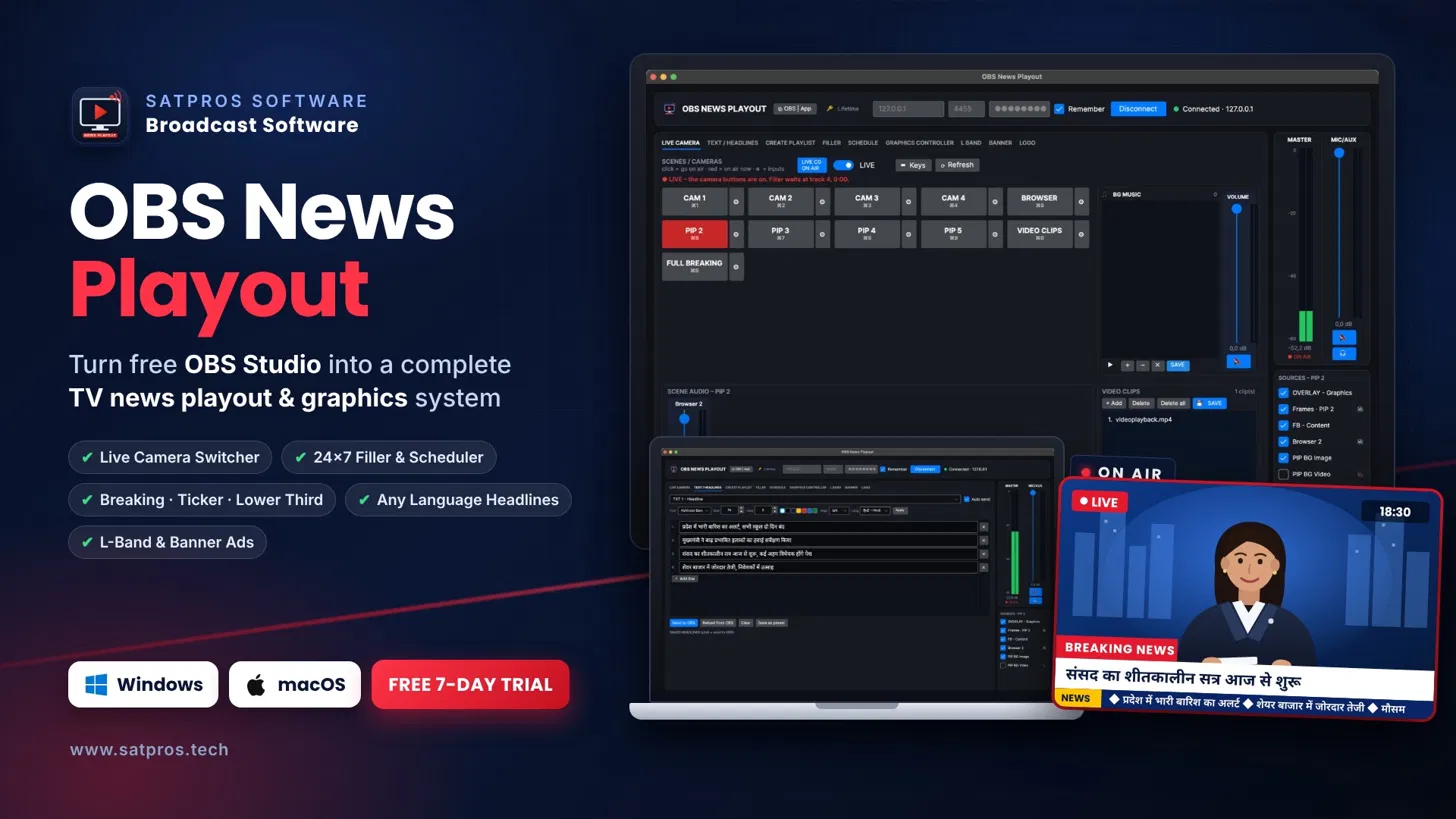
A desktop control room for OBS Studio built for news channels.

  • Filler playlist that never stops, scheduled playlists
  • LIVE / PLAYOUT switching, cameras, PIP 2-5 windows with news frames, video clips
  • Lower third, ticker, breaking, full breaking, location, time/date CG
  • L-band squeeze-back and banner ads
  • Any language CG text with bold news fonts (Bangla, Hindi, Urdu, English and more)
  • Audio follows video, mic control, shortcut keys
  • Works on macOS (Apple Silicon and Intel) and Windows 10/11
  • Runs 7 days offline after each online check
  • Updates and support for 1 year included

OBS Studio is a trademark of the OBS Project. OVS News Playout is a third-party product by Satpros Software and is not affiliated with or endorsed by the OBS Project.

System requirements

Windows 10 / 11 (64-bit) or macOS 11+ (Apple Silicon or Intel)
OBS Studio 30 or newer
obs-websocket 5 (built into OBS)

Why SatPros

Why OVS News Playout

OVS News Playout turns free OBS Studio into a complete TV news playout and graphics system on Mac and Windows. Switch cameras, run a 24x7 filler, schedule playlists, show breaking news, tickers, L-band ads and your logo, all from one simple console, without buying costly broadcast hardware. Every plan includes one year of free updates and support.

  • Professional TV news look on free OBS Studio - no costly hardware needed
  • One console for cameras, filler, schedule, CG, ads, logo and audio
  • Headlines in Bengali, Assamese, Hindi and any other language with bold news fonts
  • Text always fits the screen - never cut, even in PIP windows
  • 24x7 filler with automatic return after every scheduled playlist
  • L-band and banner ads to earn revenue from your channel
  • Opens OBS with ready-made news scenes and connects by itself
  • Runs on Mac (Apple Silicon and Intel) and Windows 10 / 11
  • Works 7 days offline - one licence for one computer
  • Free 7-day trial, plus one year of free updates and support
Application features

Everything you need for a production workflow

Live Camera Switcher

One-click camera / scene switching with shortcut keys: CAM 1-4, PIP 2-5, browser, video clips and FULL BREAKING. Red button = on air.

Filler Playout 24x7

Endless filler loop with play / end times, drag to reorder, and BREAK tracks that show only the channel logo.

Playlists and Scheduler

Unlimited playlists. Schedule playlists, scenes, headlines, streaming and recording by date and time; OBS returns to the filler by itself.

Broadcast Quality CG

Lower third, ticker, breaking, location, time / date and LIVE bug. Text auto-fits, never cut, with custom background and text colours.

Any Language Headlines

Bengali, Assamese, Hindi, Odia, Tamil, Telugu, Urdu, Arabic, English and more with bold news fonts installed automatically. Paste straight from WhatsApp.

L-Band and Banner Ads

Squeeze-back L-band and banner ad rotation with images or videos, hold time, interval and animation.

Channel Logo

Logo on every scene in any corner with size, margin and opacity. PNG, GIF, WebM, MP4 and MOV supported.

Audio Mixer and Background Music

Master and mic level meters, mute per source, headphone monitoring, and a background music player with volume and mute.

Video Clips Player

Add clips and play them full screen or inside a PIP window with a double-click.

Ready-made OBS Preset

Opens OBS with the news scenes, switches on OBS WebSocket and connects by itself. Works with OBS on the same or another computer.

Mac and Windows

Runs on macOS (Apple Silicon and Intel) and Windows 10 / 11. Sits side by side with OBS on any screen size.

Secure Licence, 7 Days Offline

Registration number activation, one computer per licence, works 7 days offline. Free 7-day trial.

Ready to run

System Requirements

Minimum workstation configuration for smooth 24x7 Full HD playout. Higher specifications are fully supported.

Ready to Run

Processor

Intel Core i3 Latest Gen

or higher

Graphics Card

NVIDIA GTX 4 GB

or higher

Memory (RAM)

16 GB RAM

or more

Storage

SSD 256 GB

or larger

Display

Full HD Monitor

1920 x 1080 or higher

Operating System

Windows 10 / 11

64-bit only

Tutorial

Run Your Own TV News Channel! OVS News Playout Full Tutorial | Windows & Mac